

Launch anything and do any onchain action on Meteora in just a few configurations and commands. Metsumi, your personal launch assistant is engineered to help you to test fast and launch fast, accelerating your development process by 100x.Documentation Index
Fetch the complete documentation index at: https://docs.meteora.ag/llms.txt
Use this file to discover all available pages before exploring further.

Prerequisites
- Node.js >= 18.0.0
- pnpm >= 10.0.0
Terminal
Steps
Clone and Setup Meteora Invent
Meteora Invent is a toolkit consisting of everything you need to invent innovative token launches on Meteora. Run the following command in your terminal to get started.Once you’ve cloned the repository, you’ll have a new project directory with a meteora-invent folder. Run the following to install pnpm and the project dependencies.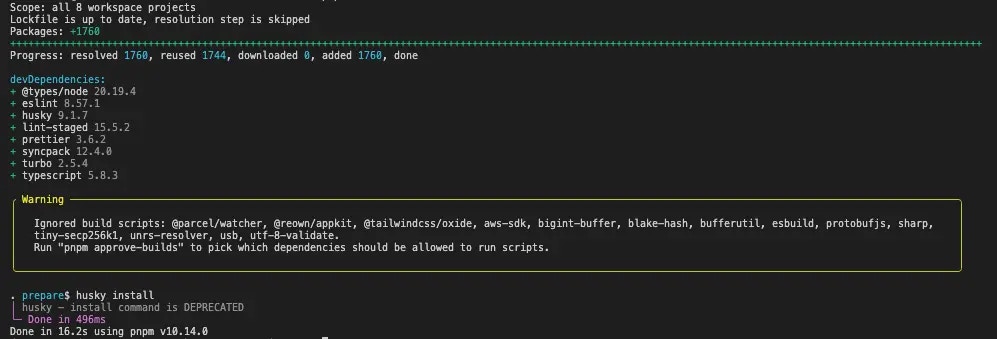
Terminal
Terminal
Setup Environment Variables
Copy the Configure the following variables:
.env.example file to .env and configure the environment variables.Terminal
PRIVATE_KEY- Your private key for the wallet you will be using to deploy the pool.
Optional: Start a Local Test Validator
You can also run the studio scripts on localnet - http://localhost:8899 with the following commandThis will start a local validator on your machine which will be hosted on
Terminal
http://localhost:8899.Generate Keypair
Generate a keypair from your private key:This will generate a
Terminal
keypair.json file in the studio directory which will be used for all actions.Configure Pool Settings
Configure the config files in the
studio/config directory.- Configure DLMM
- Configure DAMM v2
- Configure DAMM v1
- Configure DBC
- Configure Alpha Vault
Actions
DLMM
Launch a DLMM pool
Launch a DLMM customizable launch pool
Seed Liquidity
Seed Liquidity with your preferred curve
Seed Liquidity Single Bin
Seed Liquidity in a single bin
Set Pool Status
Set your DLMM Pool Status
DAMM v2
Launch a DAMM v2 balanced pool
Launch a DAMM v2 balanced pool
Launch a DAMM v2 one-sided pool
Launch a DAMM v2 one-sided pool
Split position
Split an existing LP Position on DAMM v2 pool
Claim Position Fee
Claim an existing DAMM v2 pool position fee
Add Liquidity
Add liquidity to an existing DAMM v2 pool position
Remove Liquidity
Remove liquidity from an existing DAMM v2 pool position (includes refresh vesting and closing position)
Close Position
Close an existing DAMM v2 pool position
DAMM v1
Launch a DAMM v1 pool
Launch a DAMM v1 constant product launch pool
Lock Liquidity
Lock liquidity for a DAMM v1 pool
Create a Stake2Earn Farm
Create a Stake2Earn Farm for a DAMM v1 pool
Lock Liquidity for Stake2Earn Farm Pool
Lock liquidity for a Stake2Earn Farm pool
DBC
Launch a DBC token pool
Launch a Dynamic Bonding Curve token pool
Create a DBC Config
Create a Dynamic Bonding Curve config containing the settings for pre-graduation and post-graduation pools
Claim Trading Fees
Claim partner and/or creator trading fees for a DBC pool
Migrate to DAMM v1
Migrate your DBC pool to a DAMM v1 pool
Migrate to DAMM v2
Migrate your DBC pool to a DAMM v2 pool
Swap (Buy/Sell)
Swap (Buy/Sell) tokens on a DBC pool
Alpha Vault
Create an Alpha Vault
Create an Alpha Vault with an already existing DAMM v1 or DAMM v2 or DLMM pool
Presale Vault
Create a Presale Vault
Create a Fixed Price or FCFS or Prorata Presale Vault